Broadcasts
A broadcast sends a message to all of the bot's visitors, to chosen audiences or to your channels. It can go out right away or on a schedule.
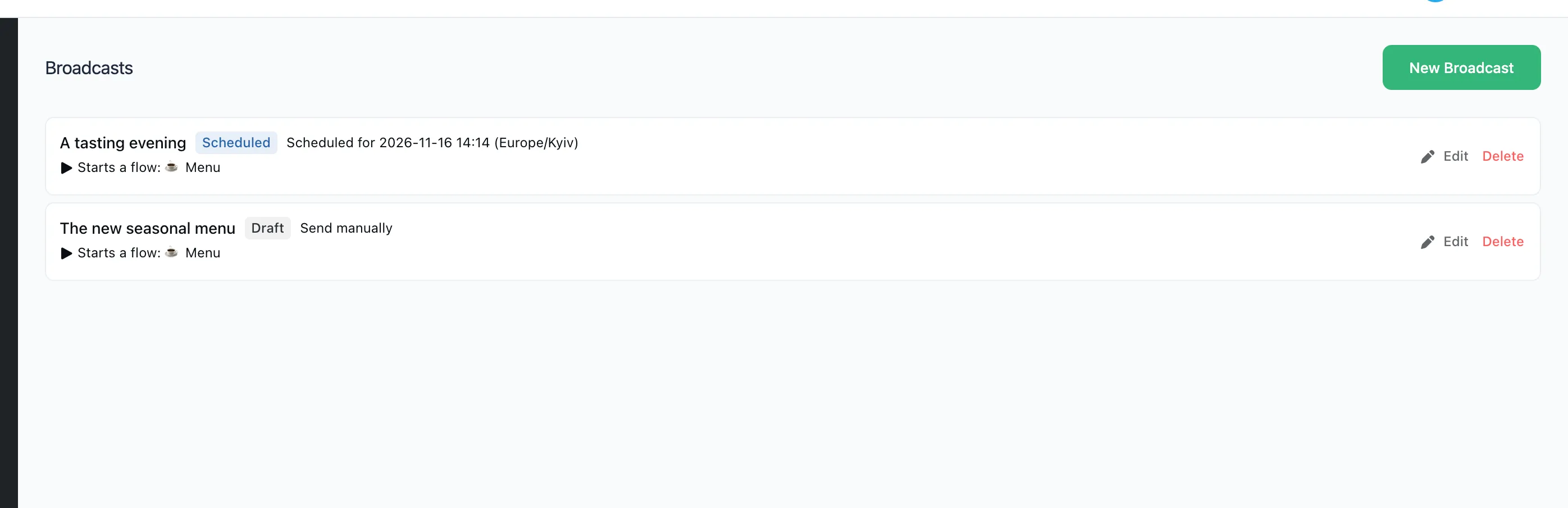
A broadcast to visitors
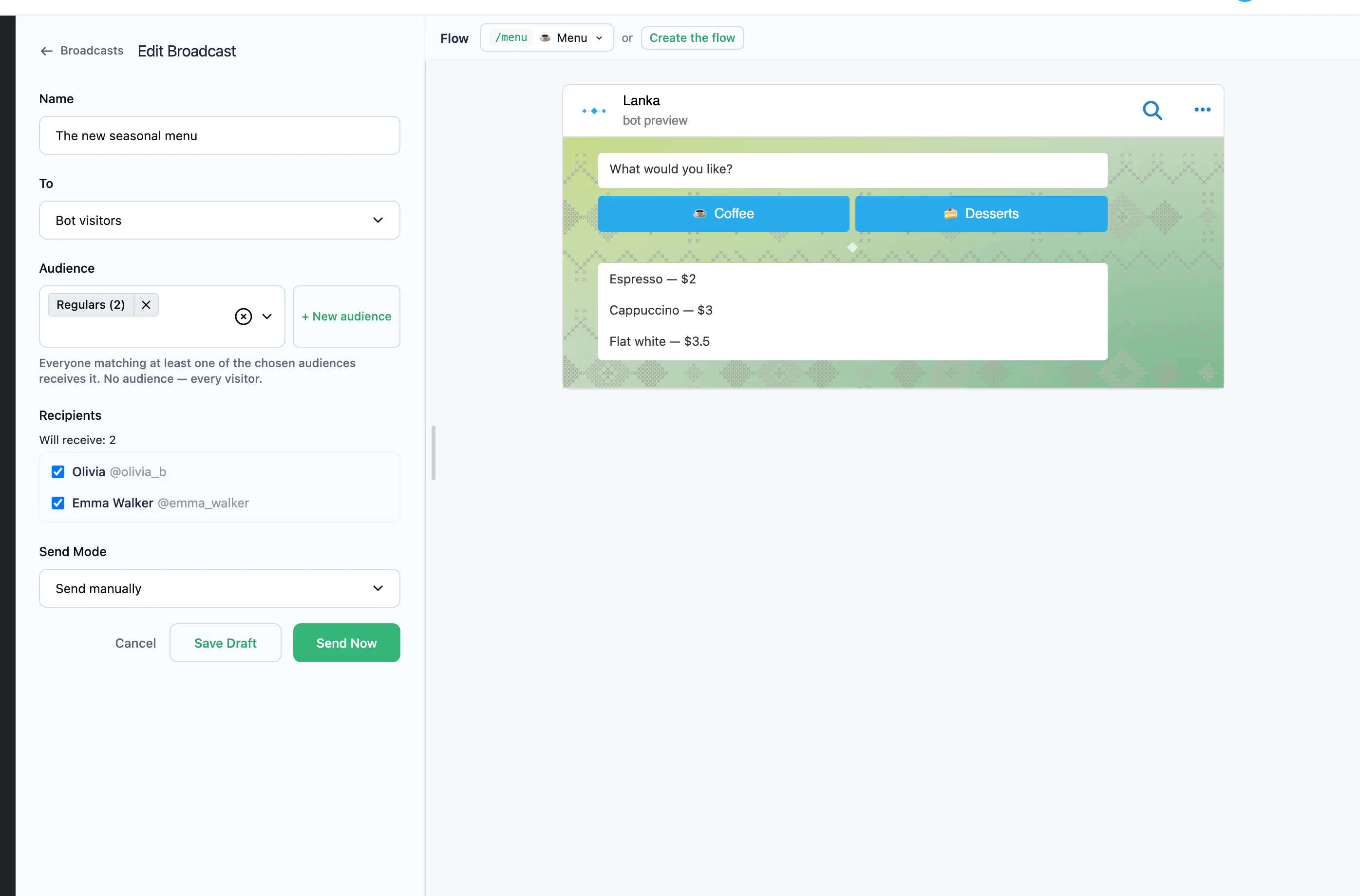
- Open "Broadcasts" and press "New Broadcast".
- Name is only for you; visitors never see it.
- To — "Bot visitors". In "Audience", pick one or more audiences. Everyone who matches at least one of them gets the broadcast. Without an audience, every visitor gets it.
- Recipients shows how many people will get the broadcast. When there are ten or fewer, you can untick individual people.
- On the right, pick the flow the recipients go through. Or press "Create the flow": a one-off flow for this broadcast only. Buttons, branches and questions in it work as in any conversation.
- Press "Send Now". To send it later, choose "Send Mode" → "Schedule", set the time and press "Schedule".
People who blocked the bot do not get the broadcast.
A broadcast to channels
- To — "Channels". Pick the channels. A new channel is connected in "Bot settings" → "Channels".
- Write the post. It is an ordinary message with text, a picture and buttons.
A sent post can be corrected with "Update post". The text and buttons change; the picture or video stays.
After sending
Click the broadcast's name to see its statistics:
- Recipients and Delivered: how many people were to get the broadcast, and how many did.
- Not delivered: who did not get it and why. "Retry Failed" sends it again to them only.
- Reacted: who wrote or tapped something in its flow after the broadcast.
A sent broadcast cannot be changed. To send a similar one, press "Duplicate".