Notify
Lets you — or your channel or group — know what the person did in the bot. For example, when they leave a request or place an order, you get a message about it with their details.
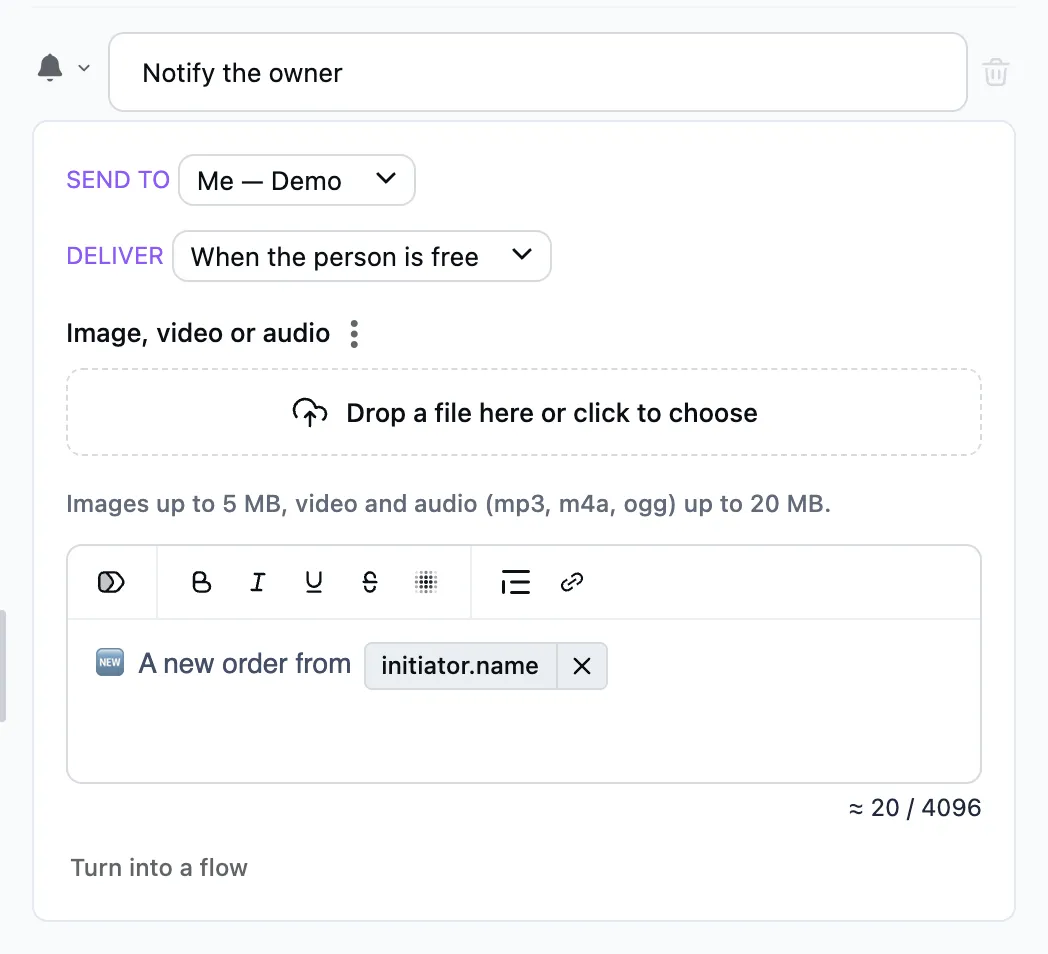
How to set it up
- To — you, your channel or group.
- Message — text and a picture (or a file the person sent in an "Ask for a file" step) with the person's variables: tokens «name», «phone» fill in what they gave. Or "Turn into a flow": you get a whole internal flow then — with "Approve / Reject" buttons, say.
- How urgent — when you are free, or at once.
The person's dialog does not wait and moves on.