Variables and tokens
A variable is a named value the bot remembers and uses in the conversation.
Kinds of variables
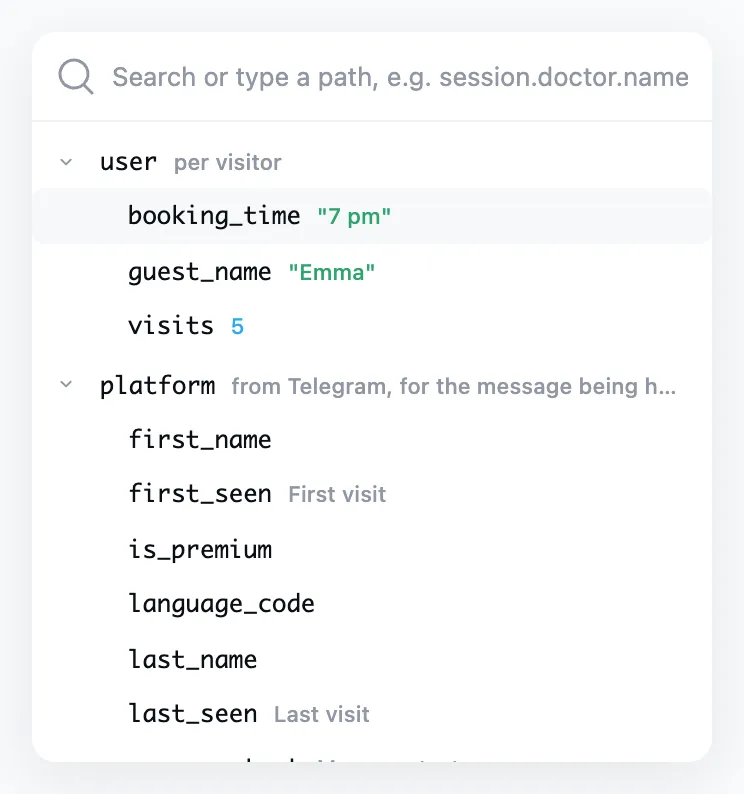
A variable's name starts with a prefix that says whom it belongs to and how long it lives.
| Variable | What it is |
|---|---|
user.* |
Belong to each visitor separately and are kept for good. When a person answers a question, taps a button or goes through a flow, these values change for them alone. |
session.* |
Live while the conversation lasts. Scripts put in-between results here: a cart total, the chosen day. |
app.* |
Shared by all visitors. That may be a product catalog, a schedule or an order counter. Every flow and every visitor sees the same one. |
platform.* |
Telegram's data about the person and the message being handled: name, language, text. Read only. |
initiator.* |
In a flow started by "Notify" or "Announce", the person who set it off. |
Scripts have one more kind, temp.*. The Scripts page covers it.
Where variables work
- In messages they are put in through tokens.
- In conditions the bot compares them and leads a person down different branches.
- In scripts they can be read and changed.
- In audience filters they pick the visitors for a broadcast.
Steps save a person's answers themselves: "Ask a question" and the other "Ask for…" steps, "Poll", "Button set" and "Web App" write the choice to the user.* variable you name.
In the "Save to" field an object variable opens up, and a key inside it can be picked, say access.note. The answer then goes into that key, and the object's other keys stay as they were. A new key can be typed into the search: user.access.note.
Tokens
A token is a chip with a variable's name that you insert into the text. The visitor sees the value instead.
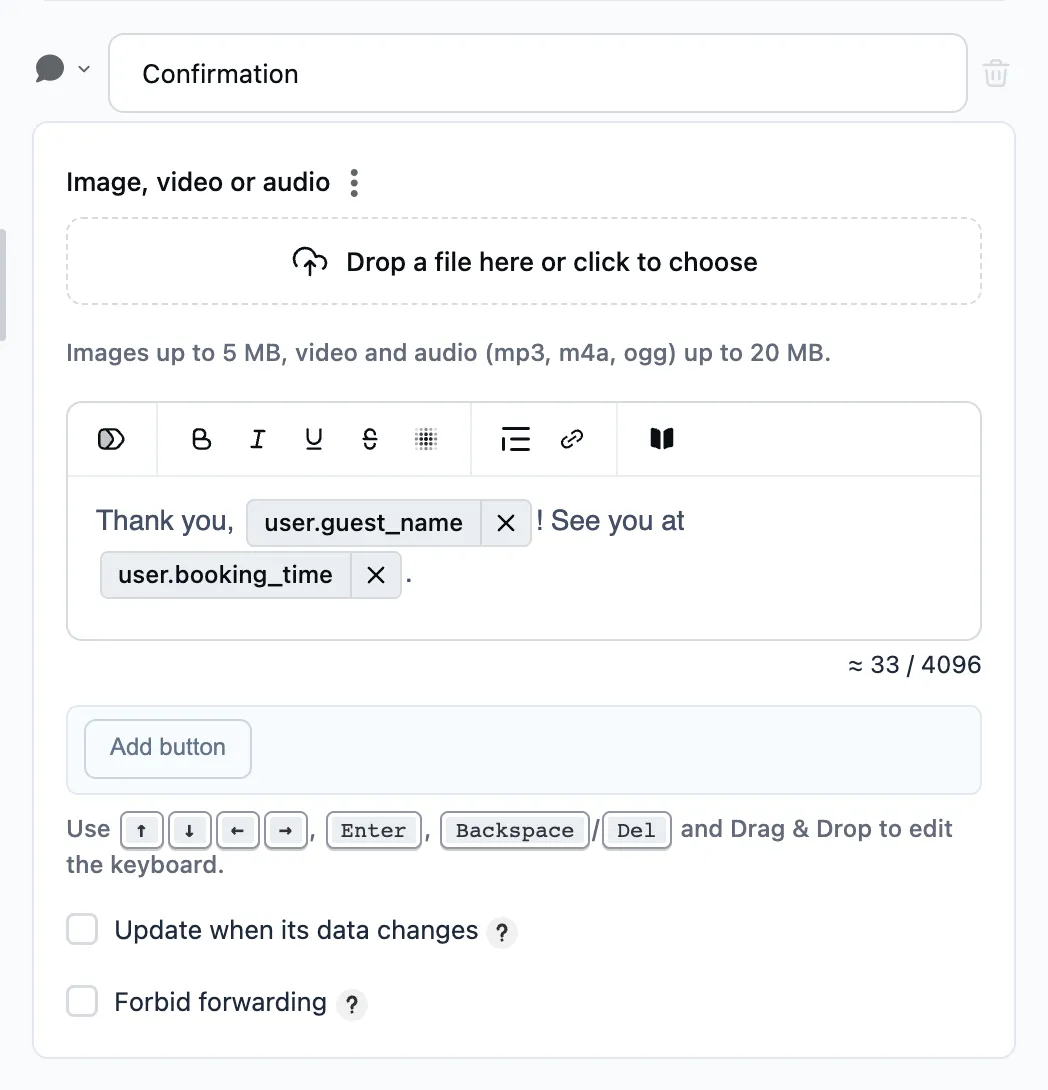
To insert a token, type "/" in the text or press the token icon on the bar above the message text and pick a variable. The list is split by kind of variable, and the search finds a variable by name. If there is no such variable yet, you can create it right there: press "+" on the user or app row, type the name and set a starting value.
- Tokens work in message text, in button text and in the addresses of links and pictures.
- A token shows the value as it is, with no calculation or formatting. To show a total or a date in the right form, calculate it beforehand in a script.
- When the variable is empty, nothing shows in the token's place.
The "Variables" page
The "Variables" page opens with the "Data" item of the bot's menu. There you set the starting values: what every new visitor begins with, and the bot's shared data. A particular person's current values are on their page under "Visitors".