How to collect requests through a Telegram bot and notify the team at once
A Telegram bot for collecting requests is assembled in Lanka from a few steps: the bot asks for a name and a phone number, saves the answers to variables, offers the services as buttons and sends a notification to you, a channel or a group. The requests stay on the visitors' pages and can be downloaded as a file.
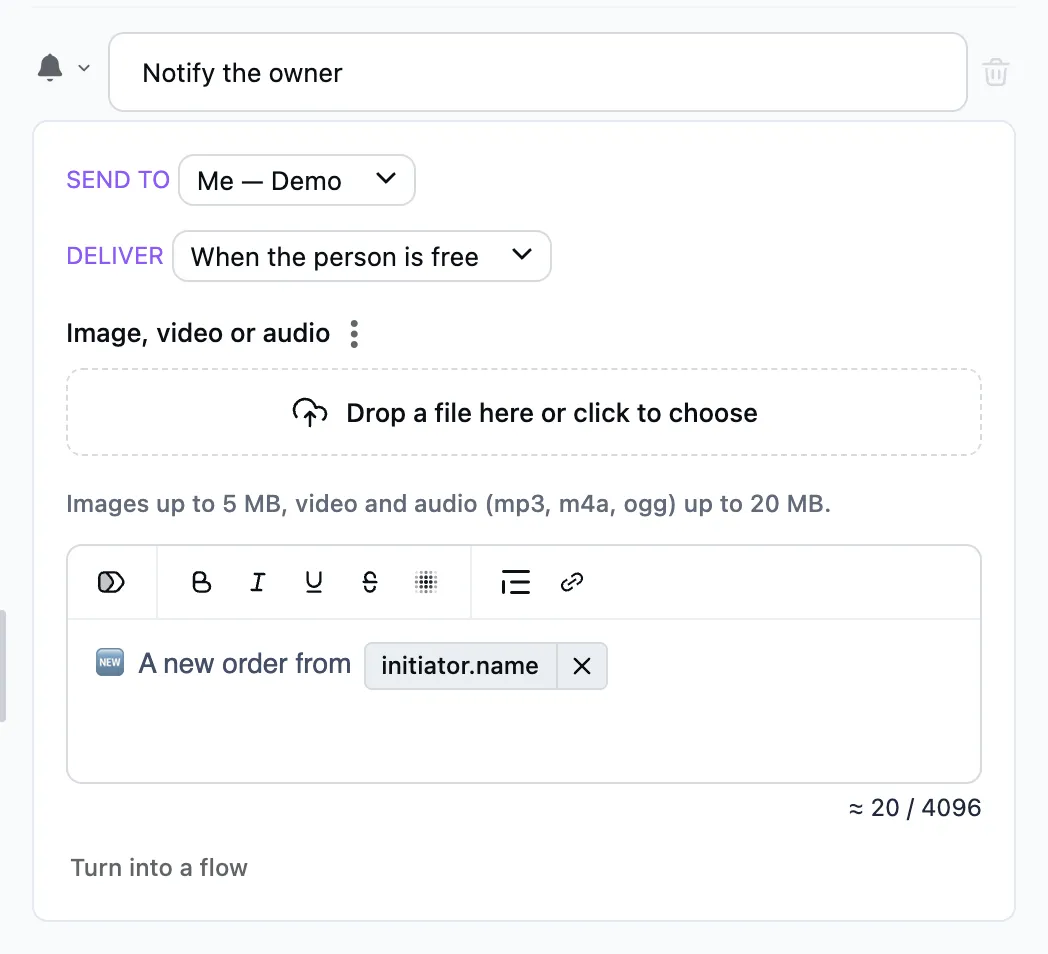
Assembling the flow
- Create a flow with the
/startcommand and a Message as its first step. Say what the bot helps with and what happens after a request. - Add an Ask a question step, "What is your name?", and put
namein "Save to". - Add an Ask for a phone number step and save the answer to
phone. The person sends the number with a button under the input field, or types it. - Add a "Message" saying "What are you interested in?" and press "Add button" for each service, "Consultation" and "Repair" for example.
- Under each button add a Notify step. In "To" pick yourself, a channel or a group. In the text name the service and put in the
user.nameanduser.phone.phone_numbertokens: type "/" and pick the variable. - After the notification add a "Message" that confirms to the person that the request is in and says when to expect an answer.
- Press "Publish" and leave a request yourself.
The person's conversation does not wait for the notification and goes on.
Where the requests are
- The notification reaches you in Telegram with the person's answers.
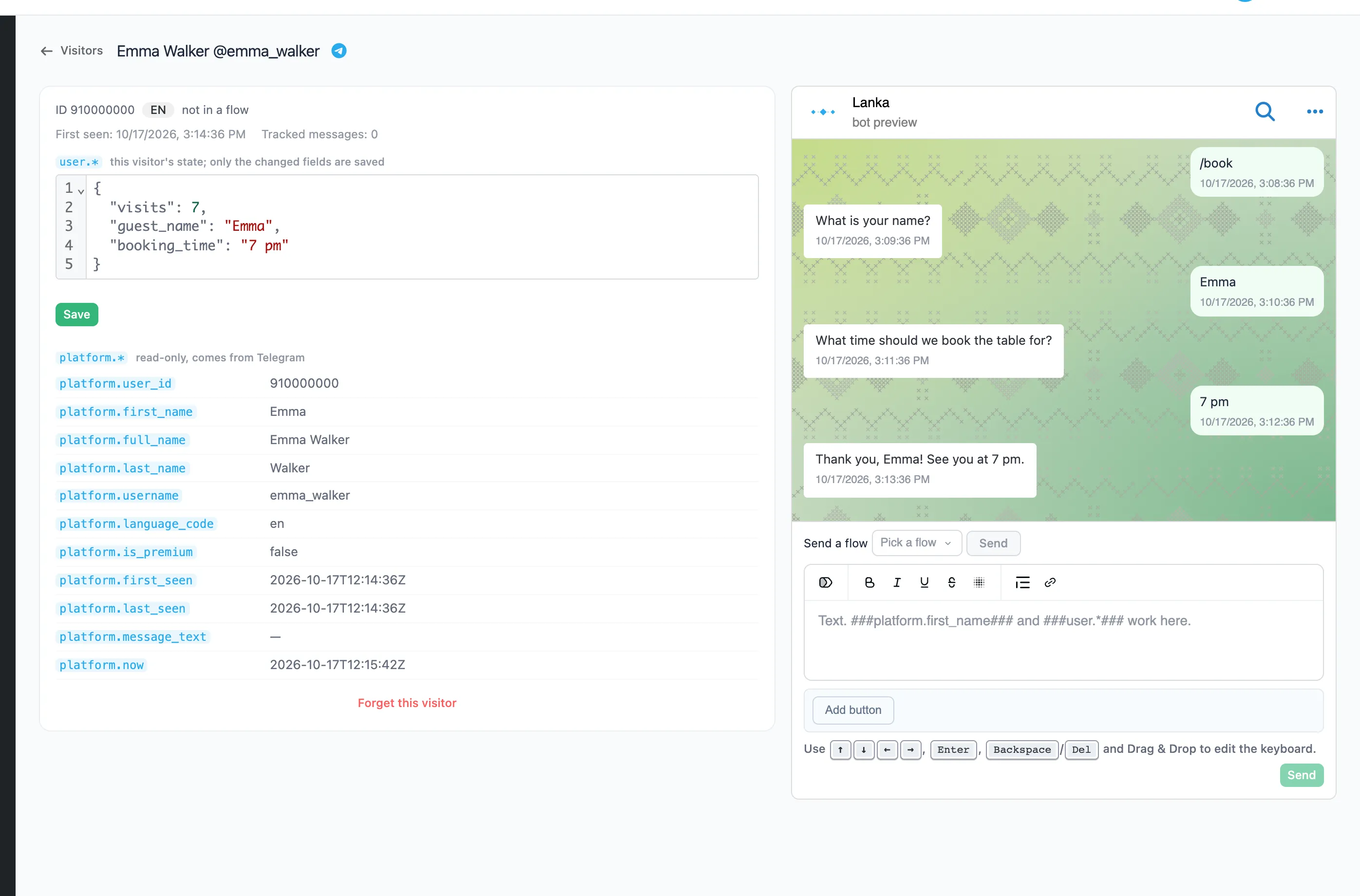
- In Visitors every person has a page with their saved
nameandphonevariables and the whole conversation. From there you can write to them as the bot. - The "Download" button in Visitors saves the list with the answers as an XLSX or CSV file.
If the person does not answer
Under the "Ask a question" and "Ask for a phone number" steps add the timeout branch ("No reply") and say how long to wait. When the time is up, the conversation goes down that branch, to a reminder for example.
FAQ
Where does a new request arrive?
In the chat picked in the "Notify" step: yours, a channel or a group. The text carries the person's answers as tokens.
Can a request be passed to another service?
Yes, with the Script step: it makes an HTTP request to a third-party API. The Scripts page describes its language.
Can the requests be downloaded as a file?
Yes. In Visitors set up the columns with the variables you need and press "Download": XLSX or CSV. For Google Sheets there is a live link, described on the Panels page.