Visitors
Here you see everyone who has written to your bot, and everything the bot remembers about them. From here you can write to a person as the bot or start a flow for them.
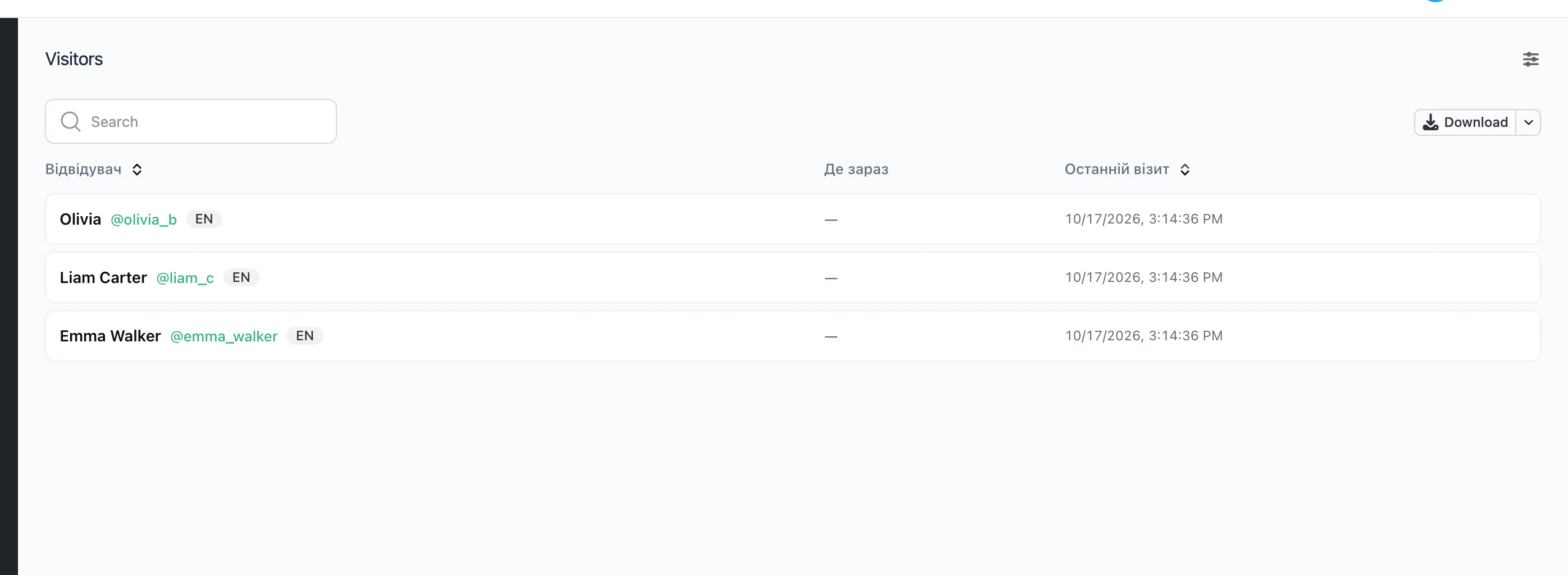
The list
A person appears in the list as soon as they first write to the bot or tap a button. Next to the name you see their @username, language, a Telegram Premium mark and "Blocked the bot". "Blocked the bot" means the person stopped the bot. Messages no longer reach them.
The search finds a person by name, @username, ID, language, the flow they are in now and the value of any of their variables. A new answer reaches the search within seconds.
The list is a panel. The settings icon at the top opens its settings:
- which columns to show, with which titles and types;
- which columns to filter and sort by;
- actions over the selected people.
"Download" saves the list as an XLSX or CSV file. For Google Sheets there is a live link, described under panels.
A visitor's page
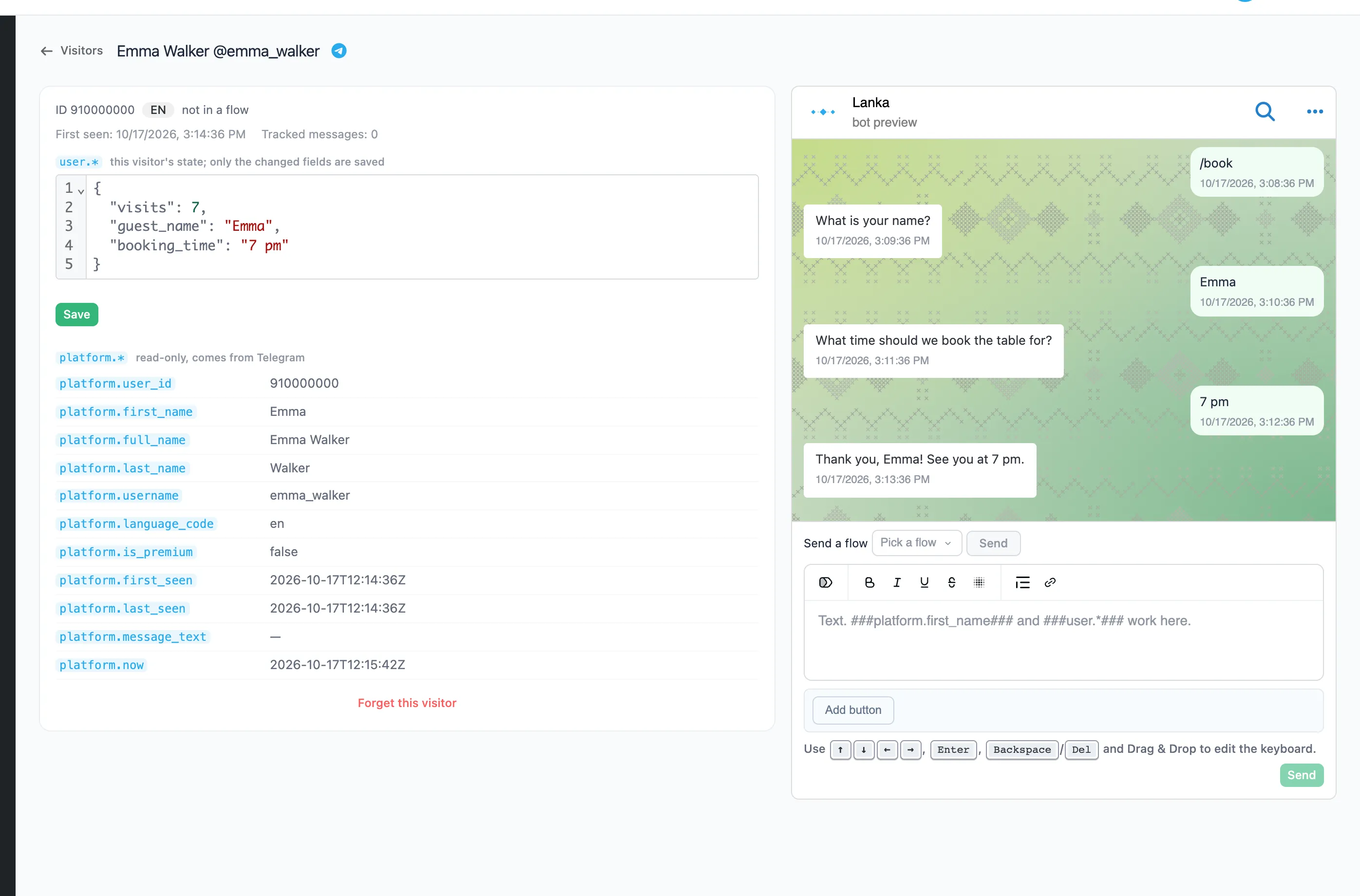
- On the left are this person's
user.*variables. You can correct them and press "Save". Only the changed fields are saved. - Below them is the data from Telegram (
platform.*). It is read only. - On the right is the conversation with the bot, as the person saw it. New messages appear by themselves.
Writing to a person
- Send a flow: pick a flow and press "Send". The person lands at its start, as if they had started it with a command.
- A message from the bot: write the text at the bottom, with tokens and buttons if needed, and press "Send".
This way you can answer a question the bot did not understand, or bring a person back to an unfinished order.
Forgetting a visitor
"Forget this visitor" deletes the person and everything the bot remembers about them. If they write again, the bot starts with them from scratch.