Condition
Checks a condition and continues the dialog down the "Yes" branch when it holds, or the "No" branch when it does not.
When to use it
- Has the person already given a phone number? — don't ask again.
- Is this the bot's owner? — show the admin menu.
- Is the order over 1000? — offer free delivery.
How to set it up
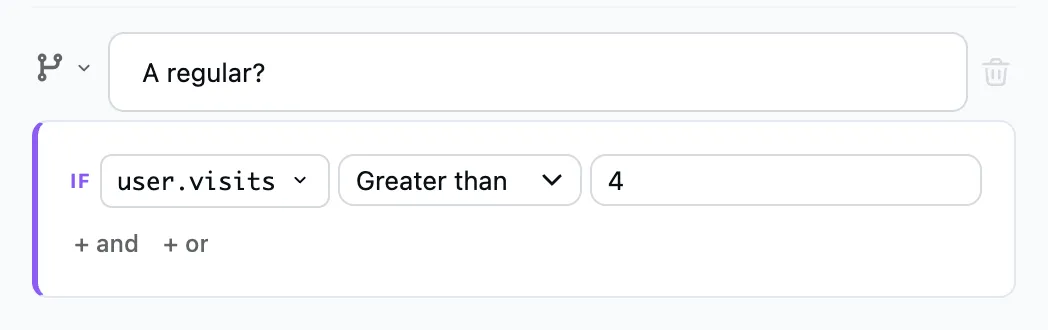
- Pick a variable, a comparison (equals, greater than, contains, is set…) and a value.
- Several rules: "+ and" adds a rule that has to hold together with the others, and "+ or" a separate group of rules. The condition is met when at least one group holds.
- Add steps under "Yes" and under "No".