Channel posts
A post is a message or an article the bot publishes in your channel or group. A button under the post can lead to a step in the bot: a tap opens the bot at that step, and the dialog goes on there.
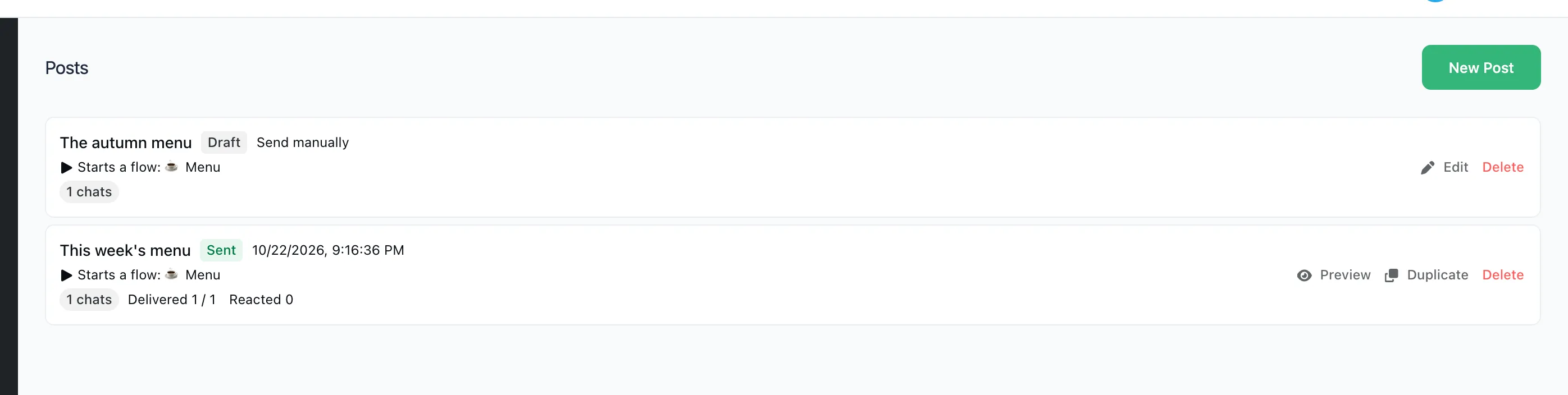
Link a channel
The bot has to be an administrator of the channel with the right to post. A channel is linked in "Bot settings" → "Channels". While there is none, the "Posts" page sends you there.
Publish a post
- Open "Posts" and press "New Post".
- Name is only for you.
- Channels: one or several the post goes to.
- On the right, pick a flow or press "Create the flow". The post is its first step: a message with text, a picture and buttons, or an article.
- Press "Send Now". To publish later, choose "Send Mode" → "Schedule", set the time and press "Schedule".
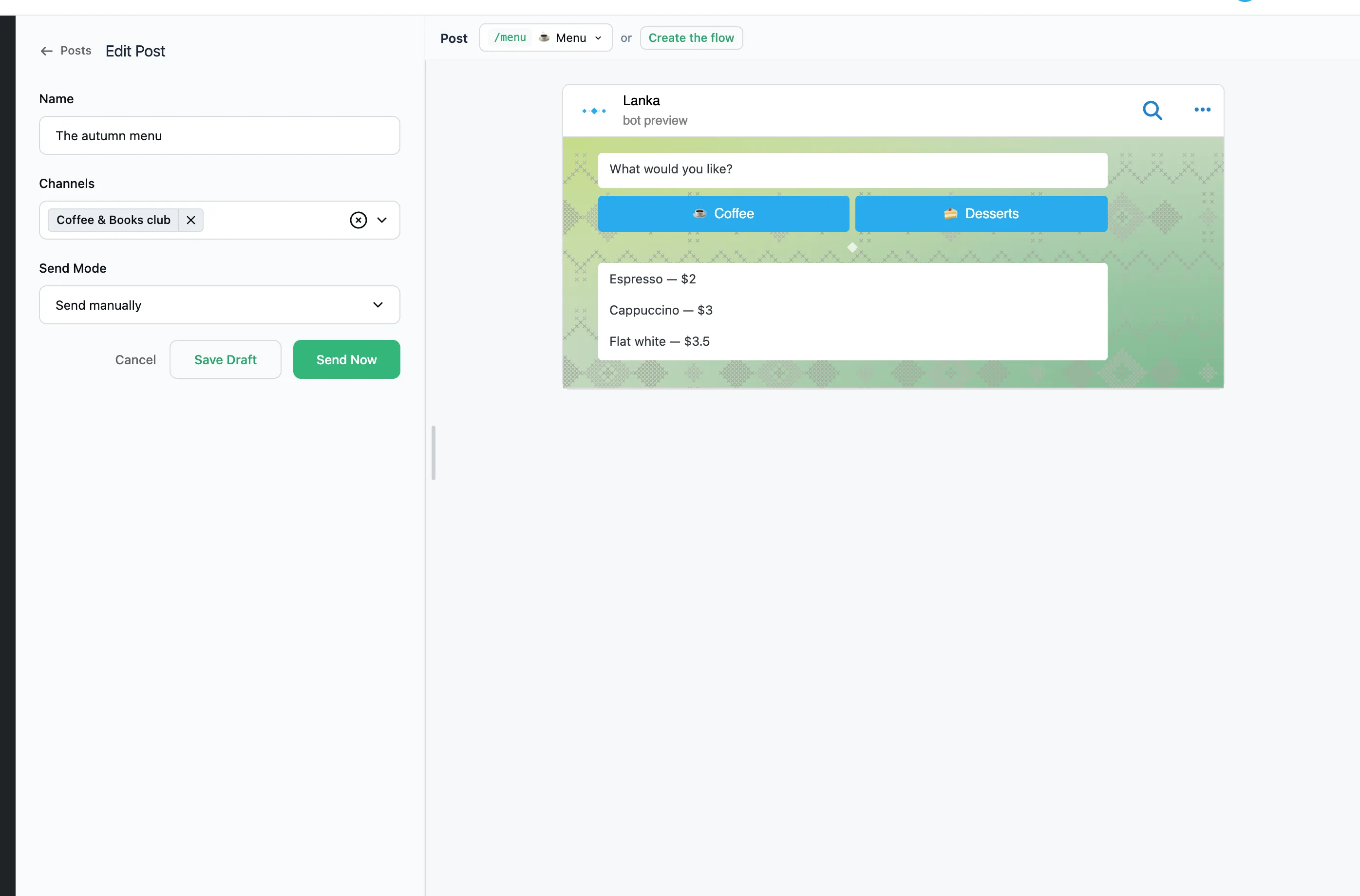
A post is one message. Whatever comes next, people get in the bot through the post's buttons. That is why the flows offered for a post are only those with no step after the first one. The buttons under a post can be:
- Open link leads to a site or another channel.
- Copy text puts a text on the clipboard in one tap.
- A button with a step opens the bot at that step.
Correct a sent post
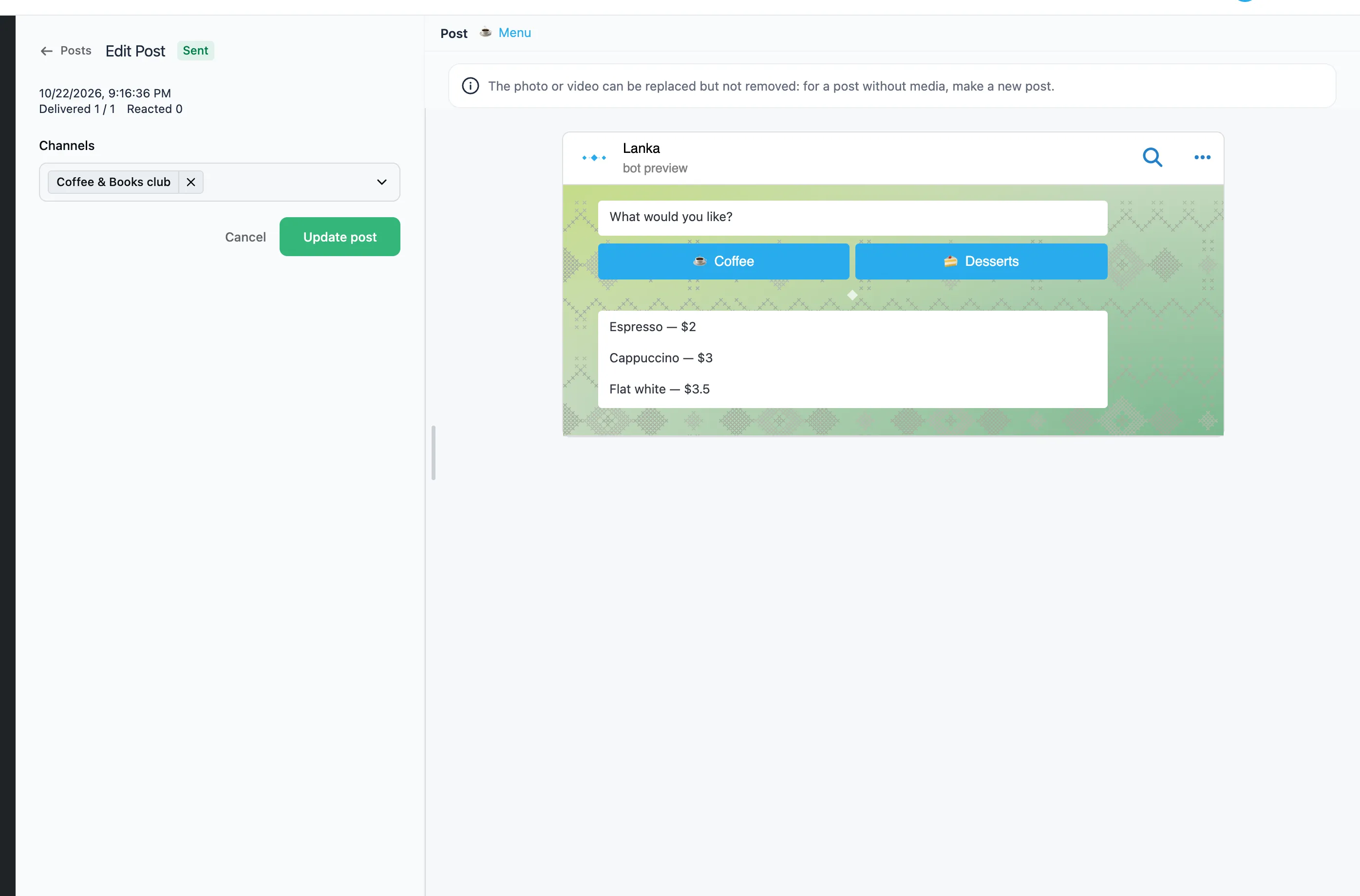
Open the post. "Update post" is enabled once the flow has changed since the last update.
- A one-off flow is edited right on the post's page.
- A shared flow is edited in its own editor. Click its name above the preview, change and publish the flow, then come back to the post.
The text, the buttons and the picture or video are updated. A picture can be replaced with another but not removed: for a post without media, make a new post. A sent post keeps its flow and channels. To send another flow, press "Duplicate" on the post's statistics page.
If Telegram refuses the update, the channel and the reason show under the buttons: the post was deleted in the channel, the bot lost its administrator rights, or the picture was taken off the post.